- Choose ‘Link to Website’ from the ‘insert’ menu, or type Alt+H (⌘+⌃+H on the Mac).
- For ‘hyperlink text’, enter the text you want to appear in your entry as a link.
- For ‘URL’, enter the address of the website as it appears in your browser address bar (beginning with ‘www’ or ‘http’).
- Click ‘OK’.
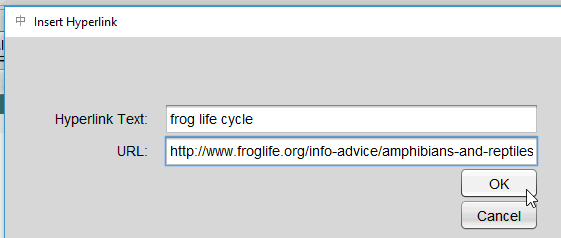
Linking to a website
- View as Markdown Open this page as plain Markdown (opens in a new tab)
- Open in ChatGPT Ask questions about this page (opens in a new tab)
- Open in Claude Ask questions about this page (opens in a new tab)
- Open in Google AI Studio Ask questions about this page (Google account required) (opens in a new tab)