
You’ll see the screen is divided into three areas:
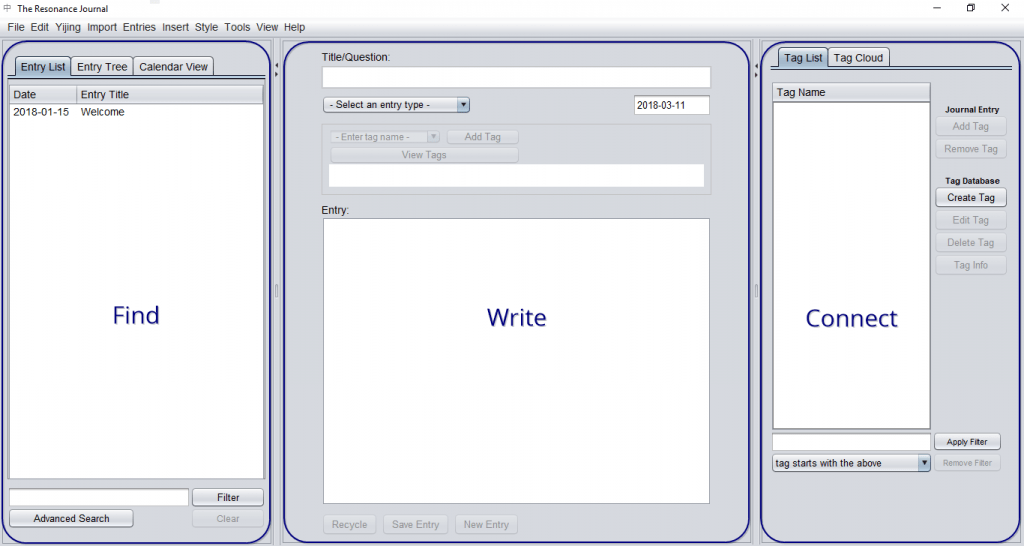
- Left sidebar – for finding entries
- Centre – read and write entries
- Right sidebar – find connections between entries (Yijing translations and information are shown here too)
Adjust the layout #
You can adjust the width of the three areas by clicking and dragging in the space between them:
 #
#
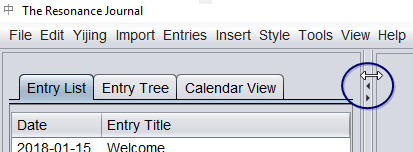
To focus on a single entry, you can make both sidebars disappear and reappear with keyboard shortcuts:
- F1 to toggle the ‘finding’ sidebar on the left
- F3 to toggle the ‘information’ sidebar on the right
- F2 to restore the original layout


